Have you heard of SCIM before?
If not, you’ve come to the right place. SCIM stands for System for Cross-domain Identity Management and is the protocol used to automate user lifecycle management.
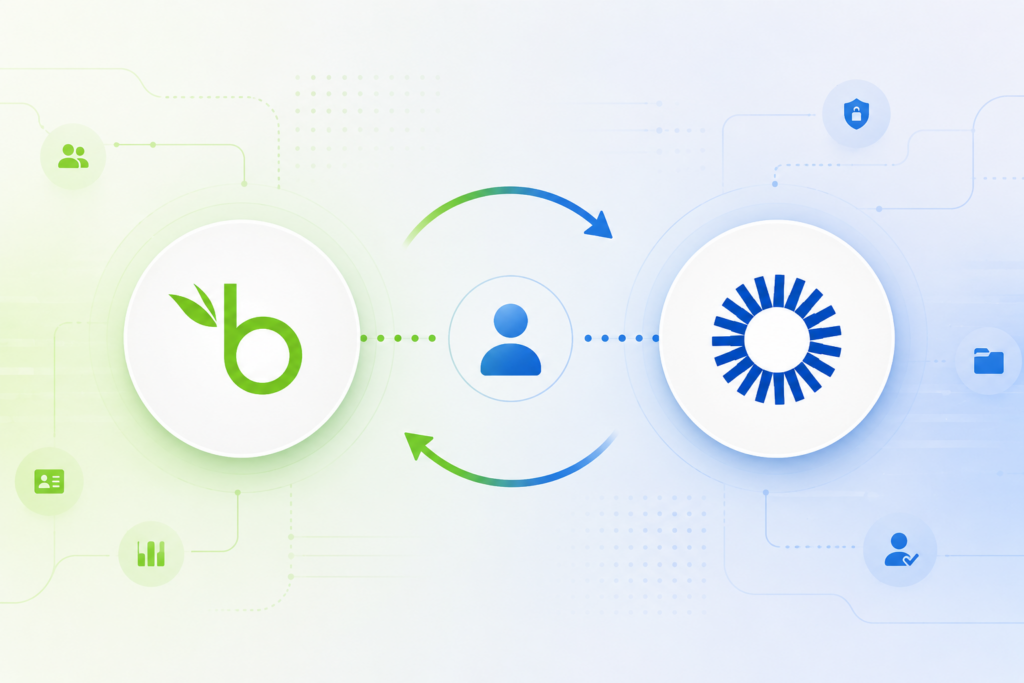
SCIM standardizes how identity information is exchanged between one entity and another.
Why does this matter?
Manually managing user accounts across multiple platforms becomes challenging as an organization grows. The manual process is inefficient, difficult to track and error prone. This is where automated provisioning becomes important.
In a bid to understand how SCIM works in a real world environment, I worked on a lab focused on integrating BambooHR with Okta using SCIM. This was part of the LinkedIn Learning course IAM Fundamentals with Okta by Andrew Chanthaphone.
Understanding the Technologies
Before we get started, it’s important to understand the technologies used and the role that they play in the identity management process.
Okta
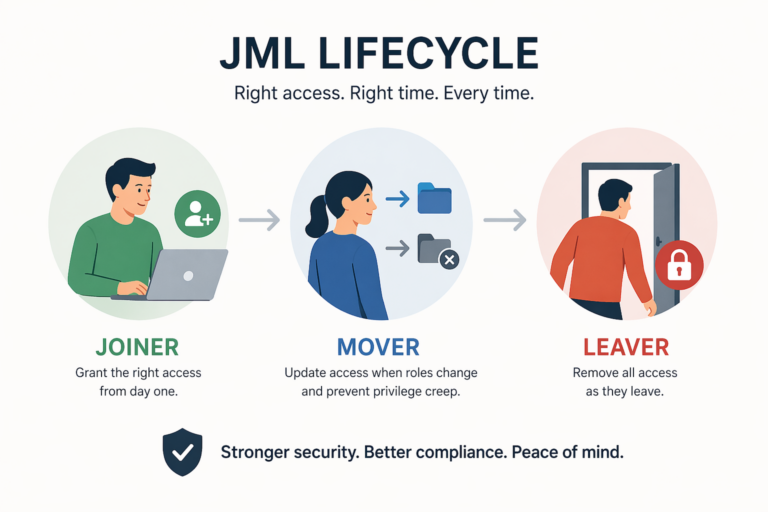
Okta is an Identity and Access Management (IAM) platform that helps organizations manage authentication, authorization, and user access across applications and systems. It also provides provisioning and lifecycle management capabilities which allow organizations to automate the JML lifecycle.
In this lab, Okta was used as the central identity platform (IdP) responsible for synchronizing user information from BambooHR and managing user provisioning workflows.
BambooHR
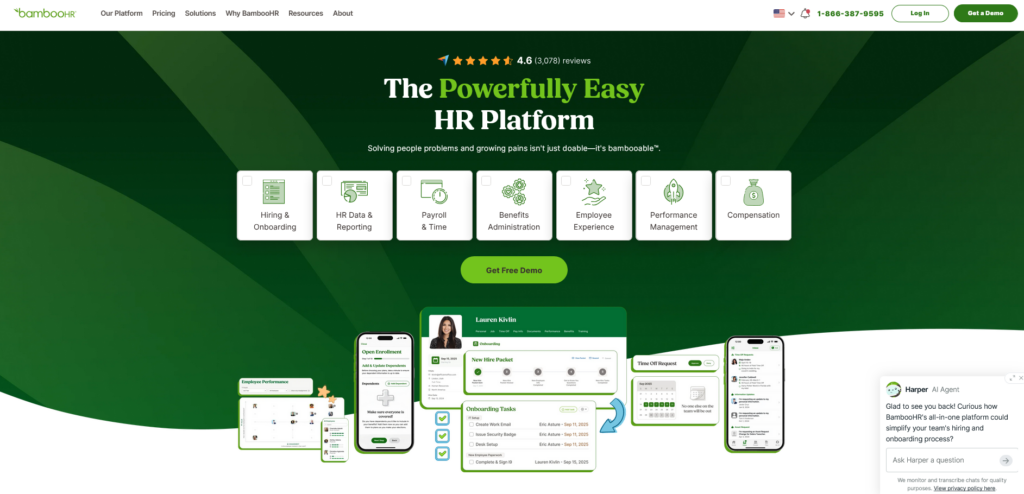
BambooHR is a Human Resources Information System (HRIS) used to manage employee information and HR-related processes.
Within IAM environments, HR systems frequently act as the “source of truth” for employee lifecycle events. This means that actions such as hiring, role changes, and employee terminations originate in the HR platform and are then synchronized to connected identity systems like Okta.
By integrating BambooHR with Okta, organizations can automate identity-related tasks whenever employee information changes in the HR system.
SCIM
As we mentioned earlier, SCIM stands for System for Cross-domain Identity Management. It is a standard designed to automate user provisioning and deprovisioning between identity systems and connected applications.
SCIM helps reduce the need for manual account management by allowing identity information to be synchronized automatically across platforms. Instead of administrators manually creating or removing accounts, provisioning workflows can update user access dynamically based on changes in the source system.
In IAM environments, SCIM is commonly used to support:
- automated account creation
- attribute synchronization
- user deactivation
- lifecycle management workflows
In this lab, the integration between BambooHR and Okta demonstrates how automated provisioning can help organizations improve operational efficiency, reduce administrative overhead, and strengthen identity governance processes.
Lab Objective
The primary objective of this lab is to use SCIM to integrate BambooHR and Okta hence supporting automated identity lifecycle management.
The lab focuses on establishing communication between the HR platform and the identity provider so that user information can be synchronized automatically across systems.
The main goals of the lab include:
- connecting BambooHR with Okta
- enabling automated provisioning workflows
- synchronizing user identity information between systems
- testing lifecycle automation processes
Step 1: Configure API Access in BambooHR
1. Log in to BambooHR as an admin.
2. Navigate to the API settings within BambooHR (this is usually found in the
Settings or Integrations section).
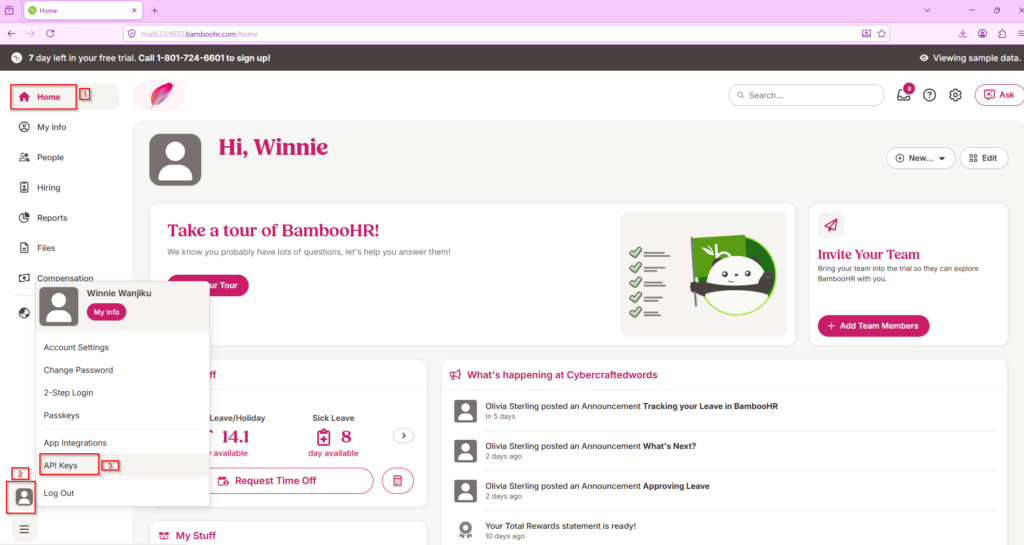
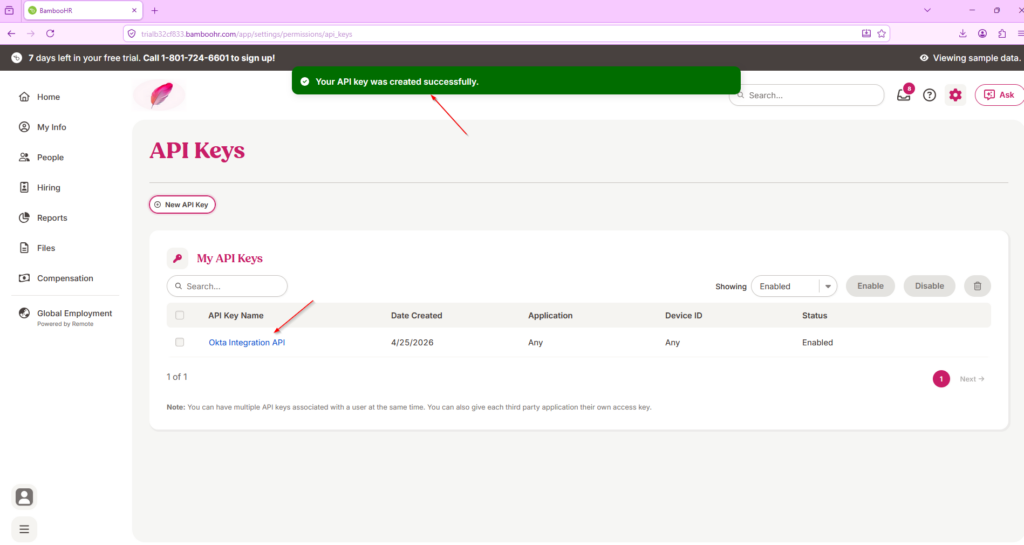
3. Create an API key to enable communication between Okta and BambooHR.
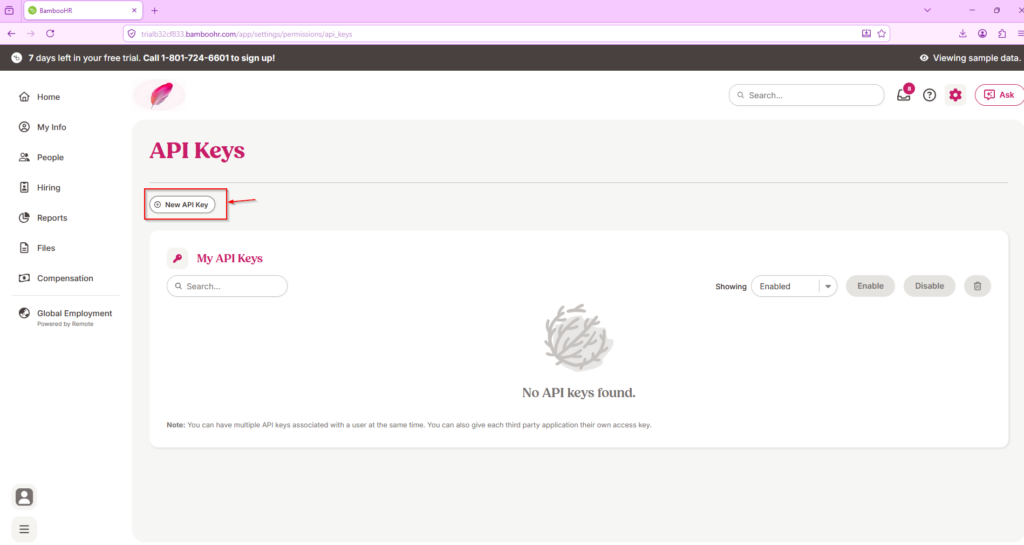
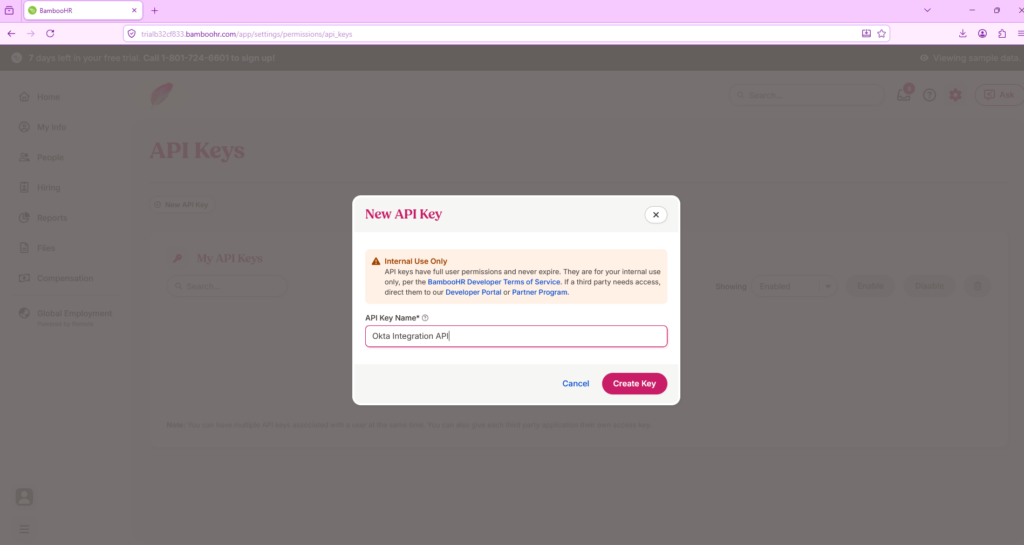
4. Once the API key is generated, copy it, as you’ll need it in Okta.
Step 2: Add BambooHR to Okta
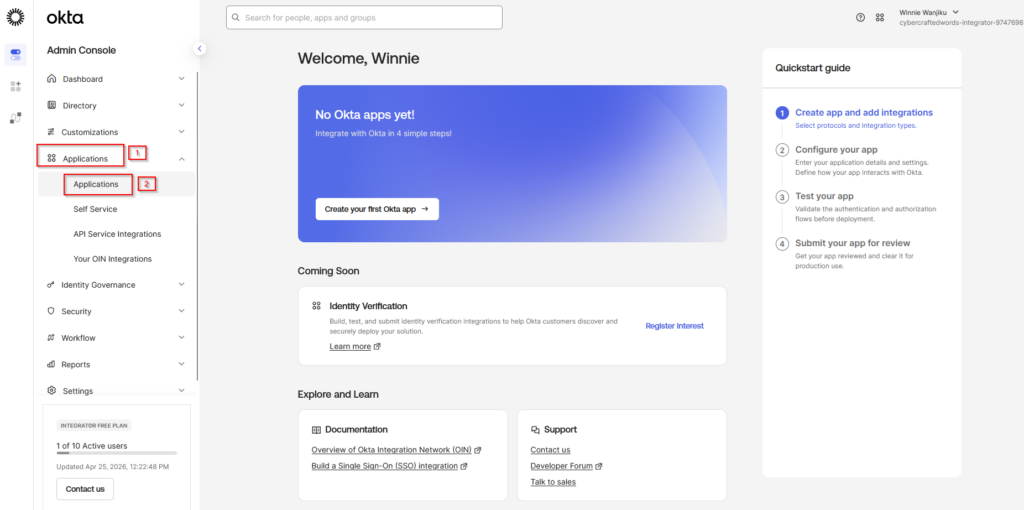
1. Log in to your Okta admin console.
2. Go to Applications > Applications.
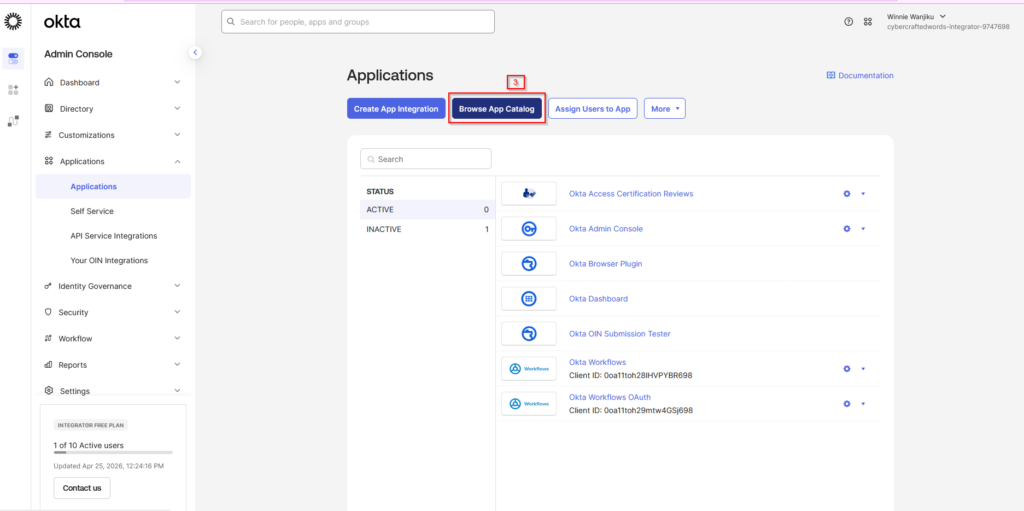
3. Click Browse App Catalog and search for BambooHR.
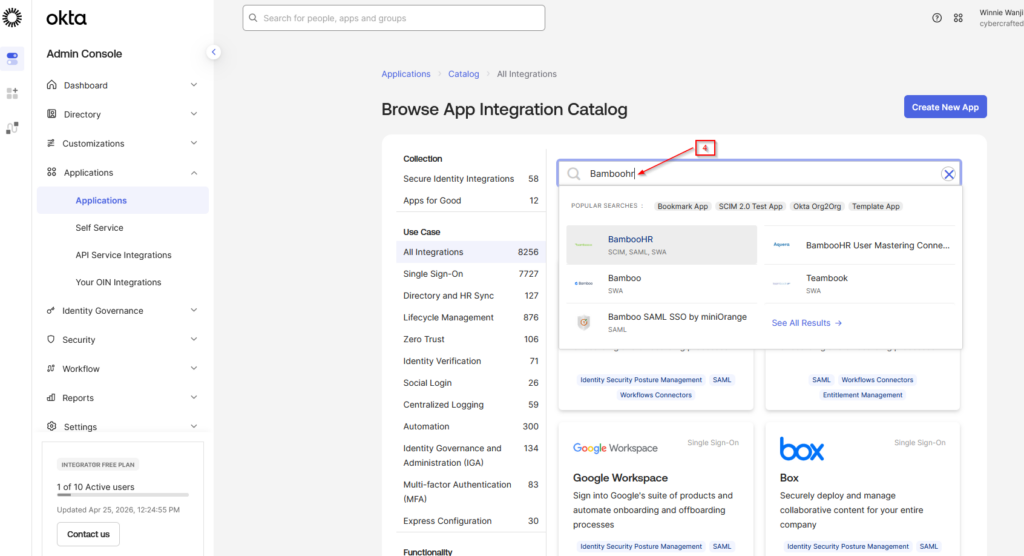
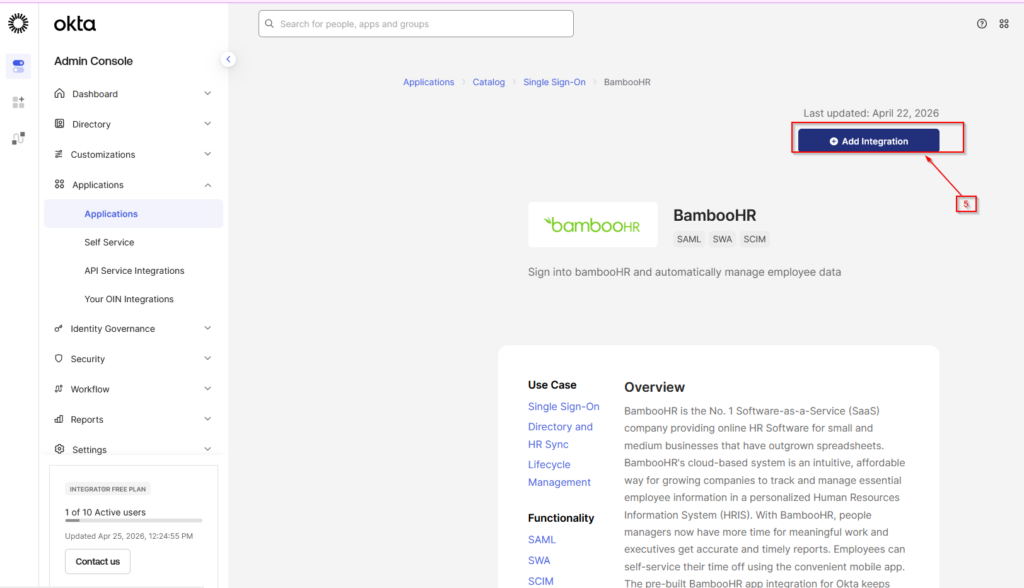
4. Select BambooHR from the list and click Add Integration.
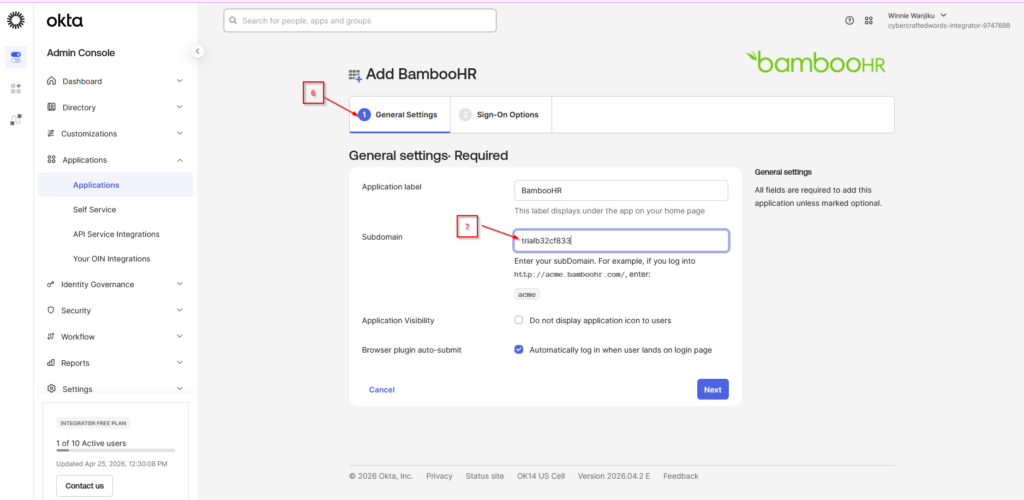
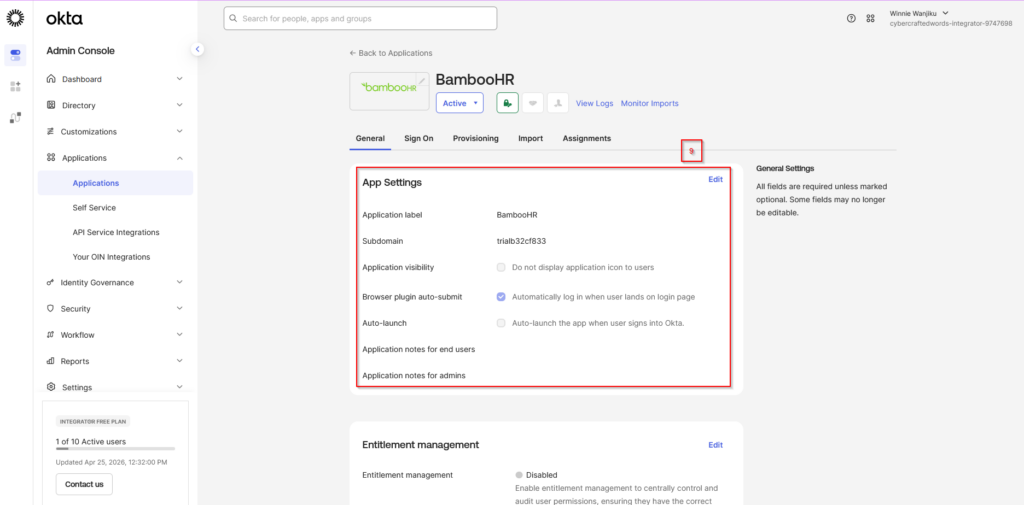
5. In General Settings, configure the Subdomain field with your BambooHR
domain (for example, yourcompany.bamboohr.com).
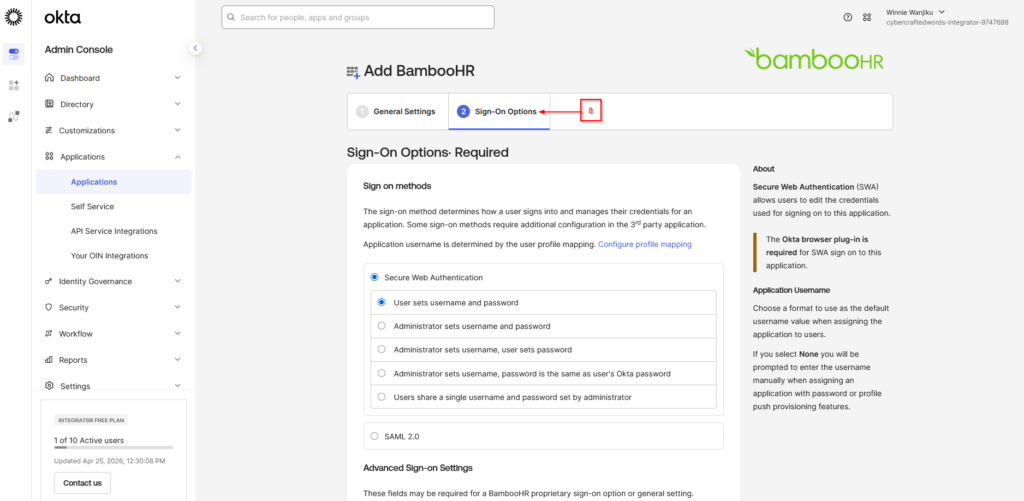
Step 3: Configure SCIM Provisioning in Okta
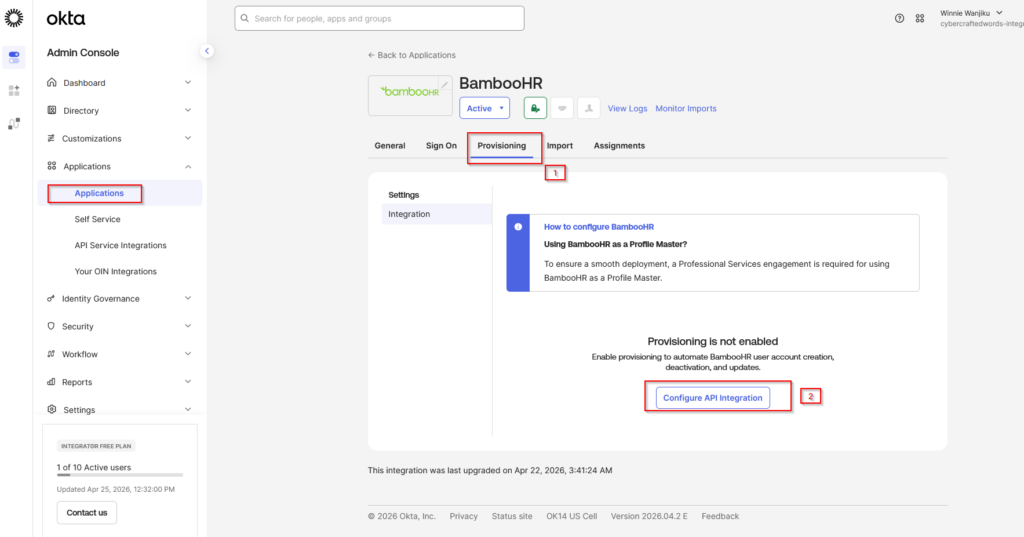
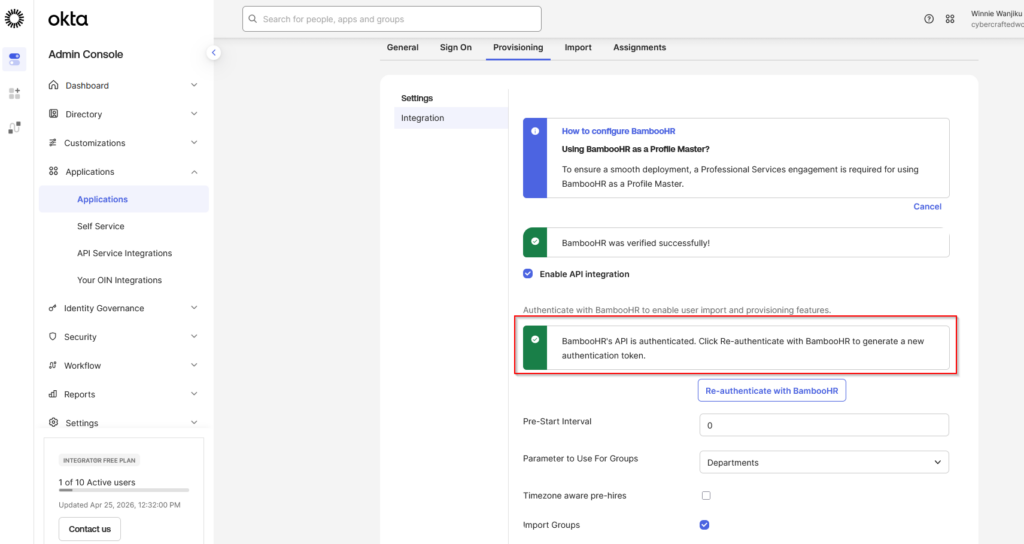
1. In Okta, navigate to the Provisioning tab of the BambooHR app.
2. Click Configure API Integration.
3. Check the box for Enable API Integration.
4. In the API Token field, paste the BambooHR API key you generated earlier.
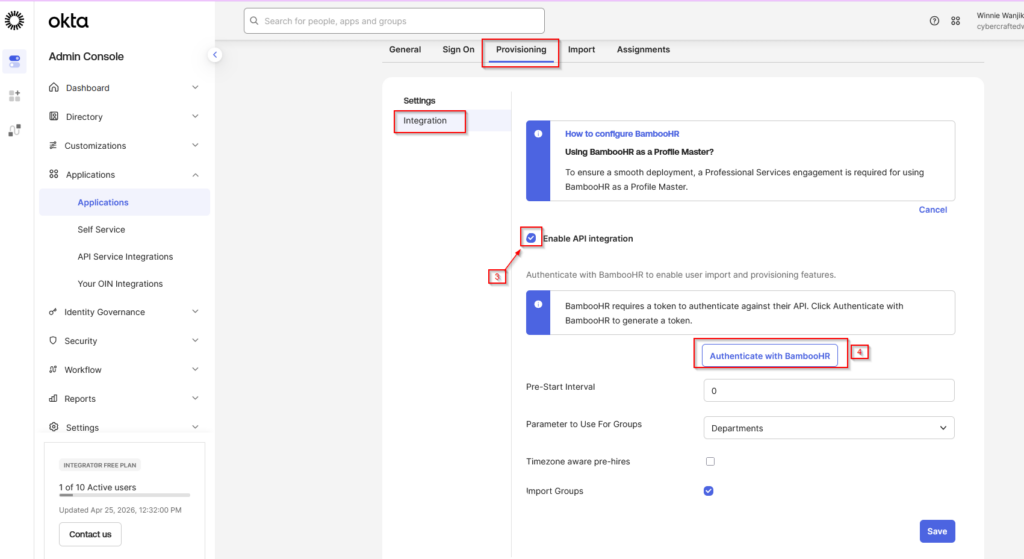
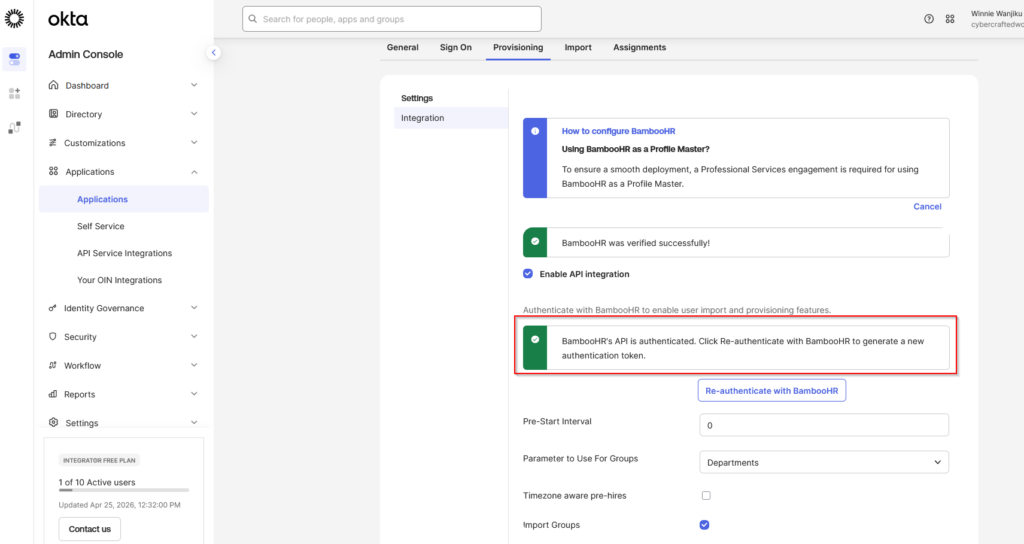
5. Click Test API Credentials to verify the connection between BambooHR and Okta.
Step 4: Enable SCIM Provisioning Features
1. Once the API connection is successful, enable the following SCIM features:
- Create Users: automatically creates users in Okta when they are added to BambooHR
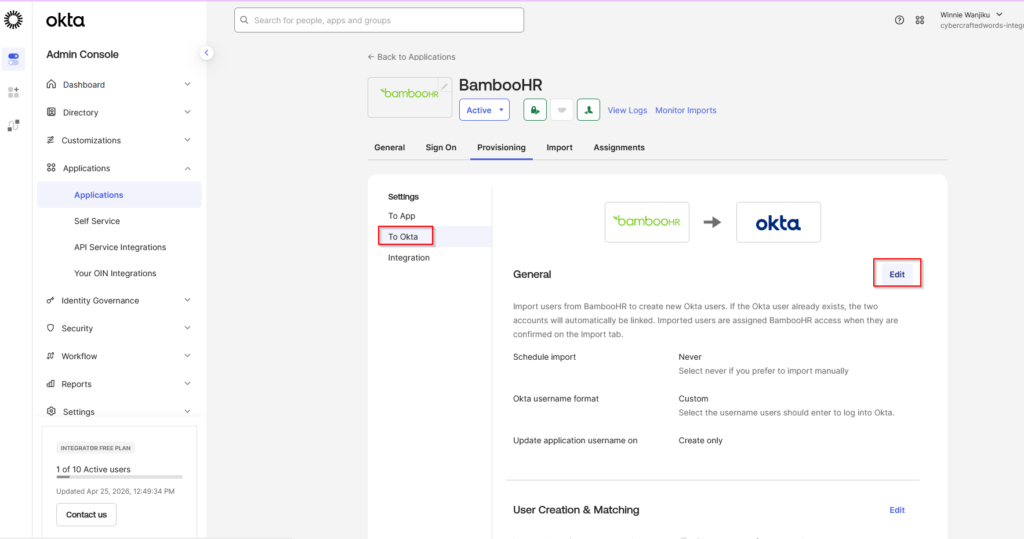
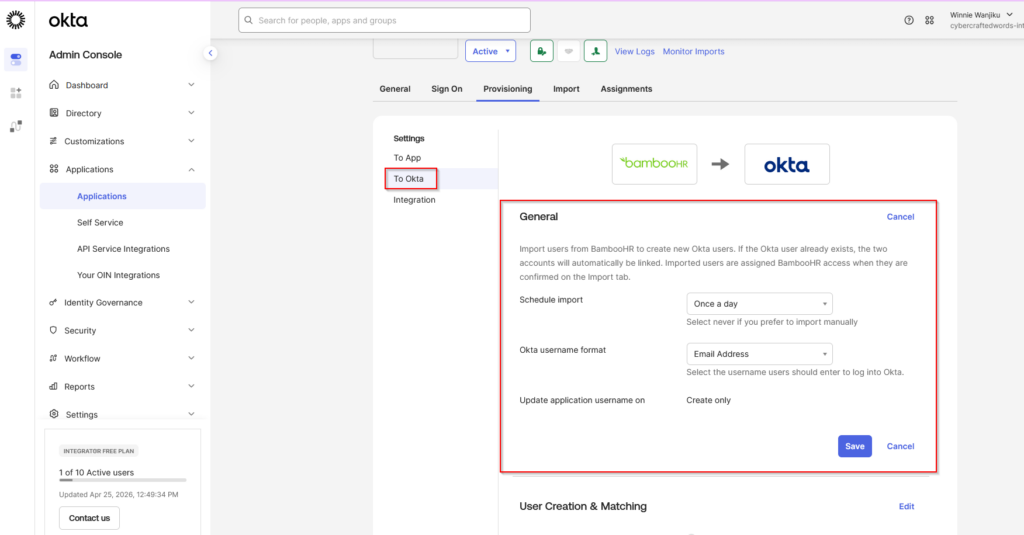
- Update User Attributes: automatically updates users’ attributes in Okta when changes are made in BambooHR
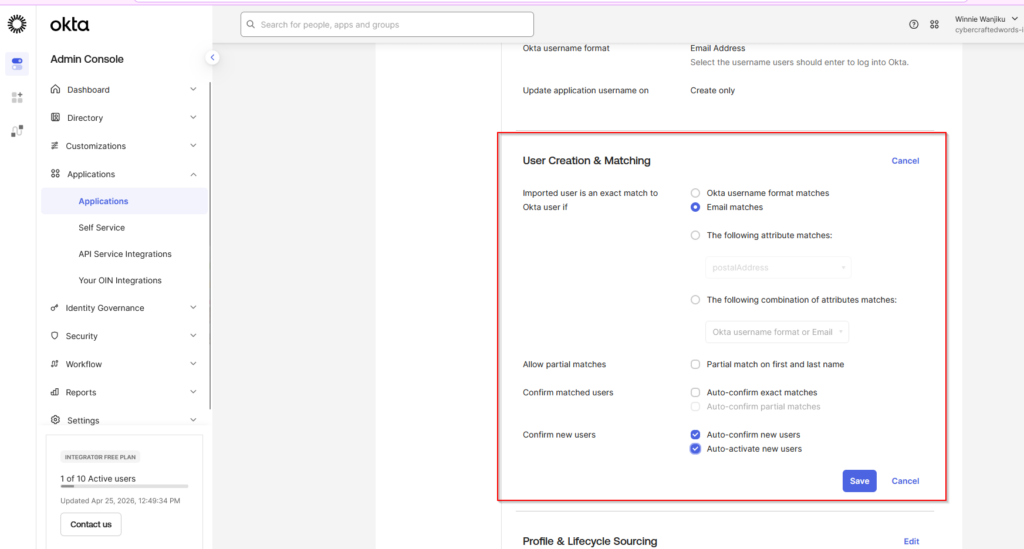
- Deactivate Users: automatically deactivates or suspends users in Okta when they are removed or terminated in BambooHR
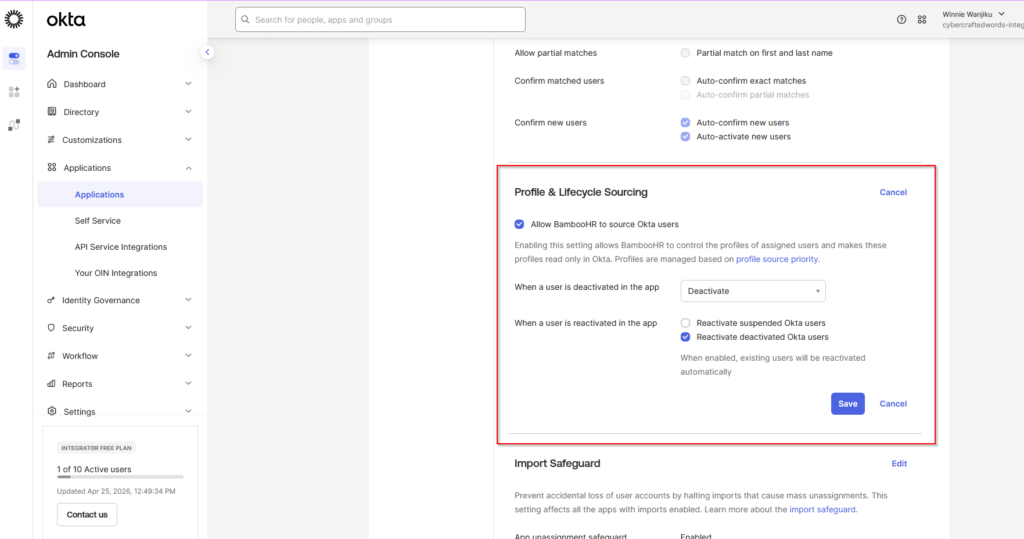
2. Click Save to confirm your settings.
Step 5: Test the Integration
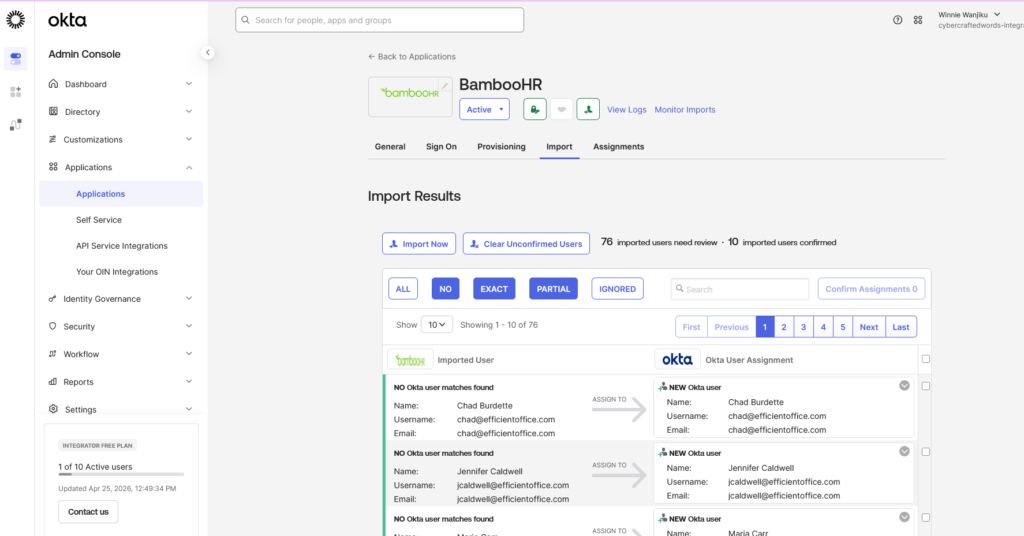
1. In BambooHR, create a test user or modify an existing user’s details
(such as email or role).
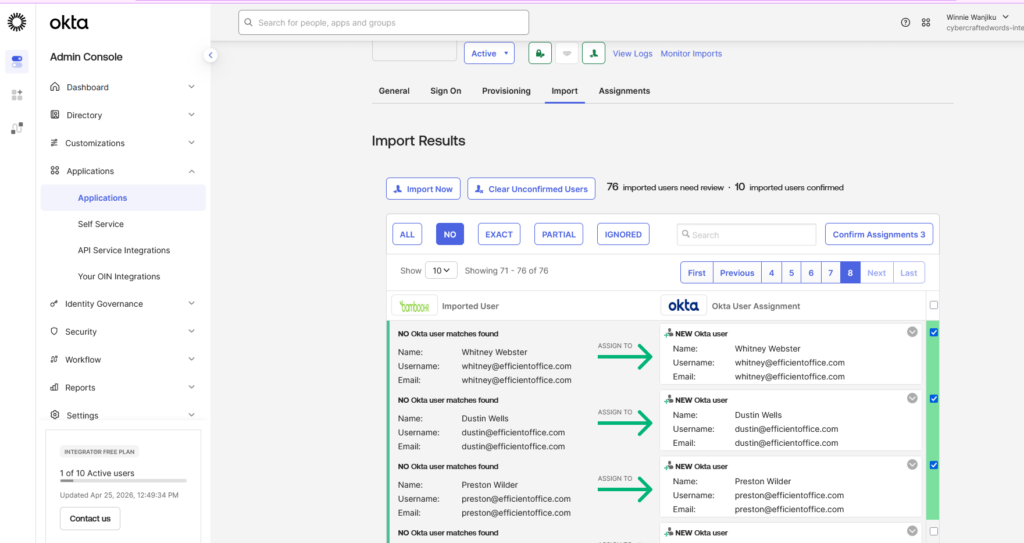
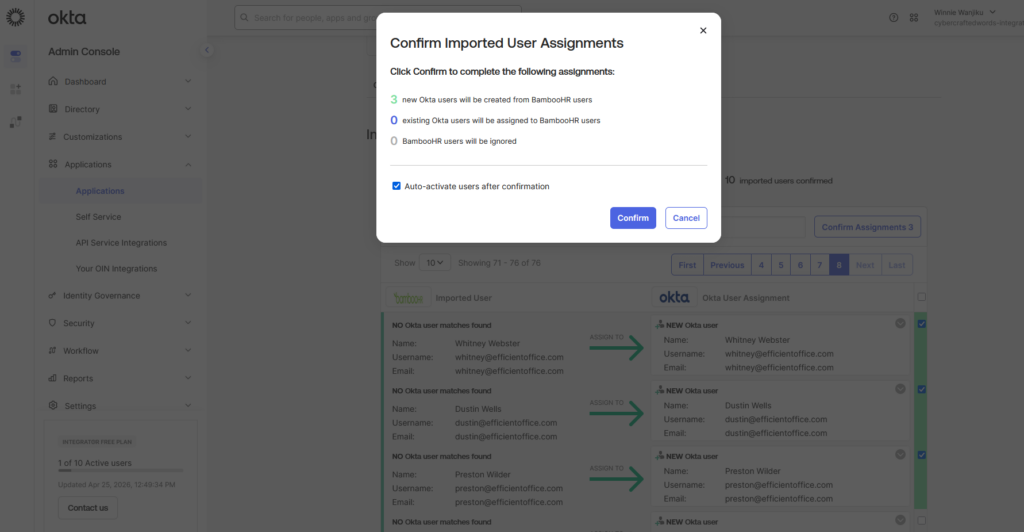
2. Check if the user’s information is automatically synced to Okta. The user
should appear in Okta with the correct attributes.
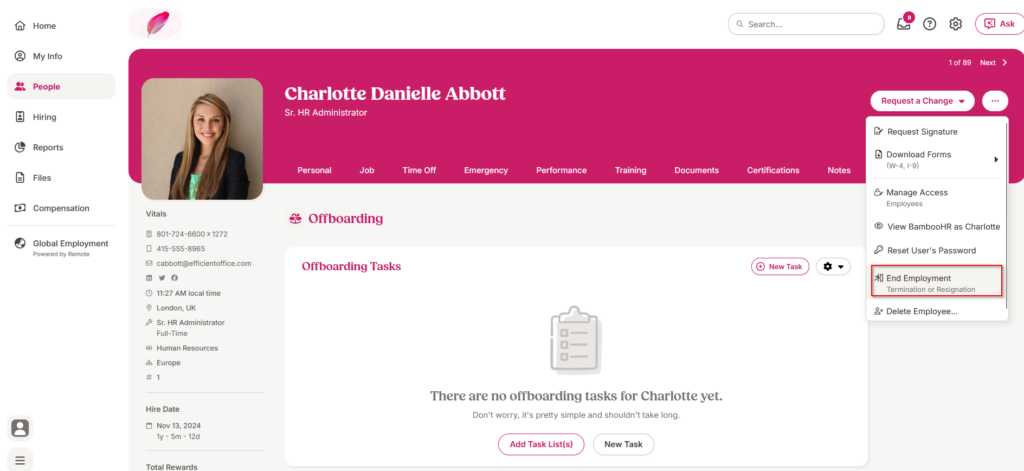
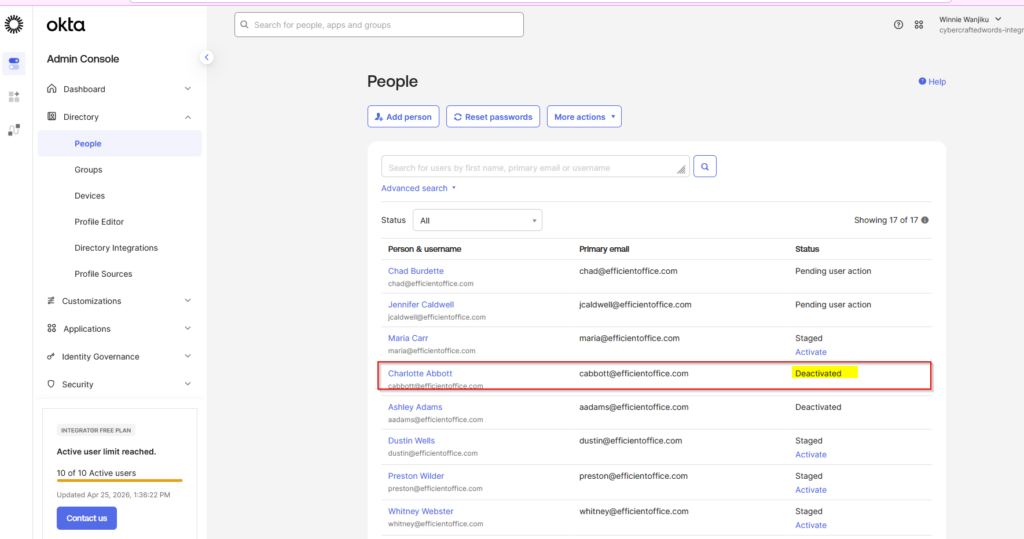
3. Test deprovisioning by terminating a user in BambooHR and verifying that
the user is deactivated in Okta.
Step 6: Assign BambooHR to Okta Users
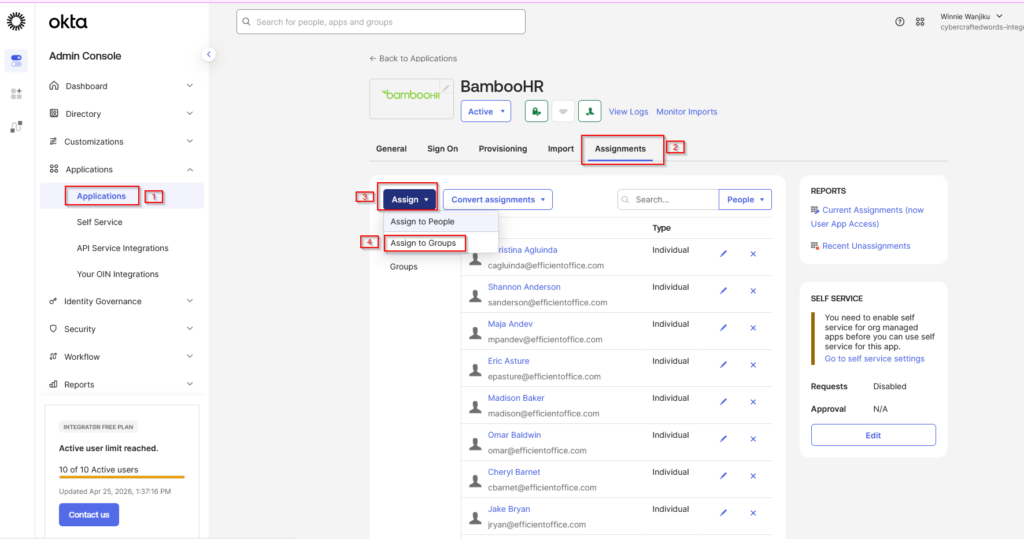
1. In Okta, go to the Assignments tab of the BambooHR app.
2. Assign the BambooHR app to users or groups in Okta by clicking Assign >
Assign to People or Assign to Groups.
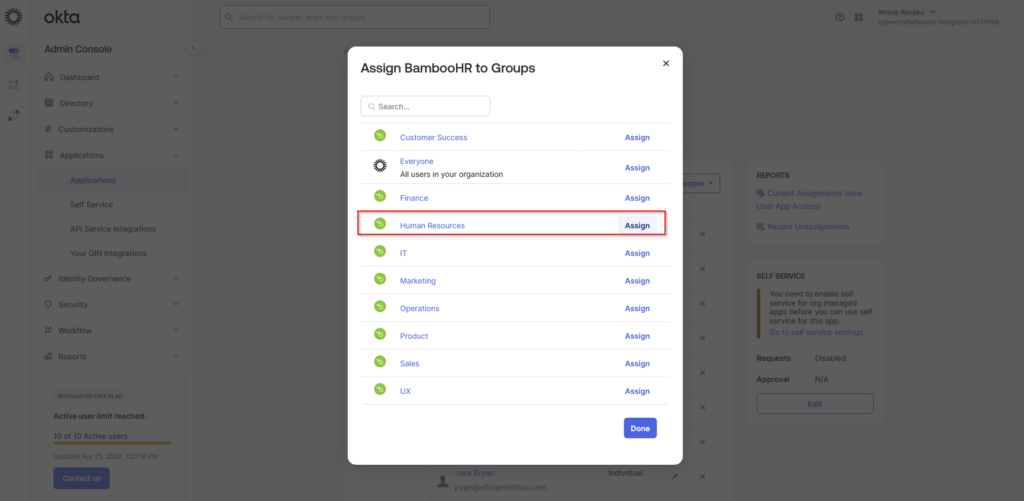
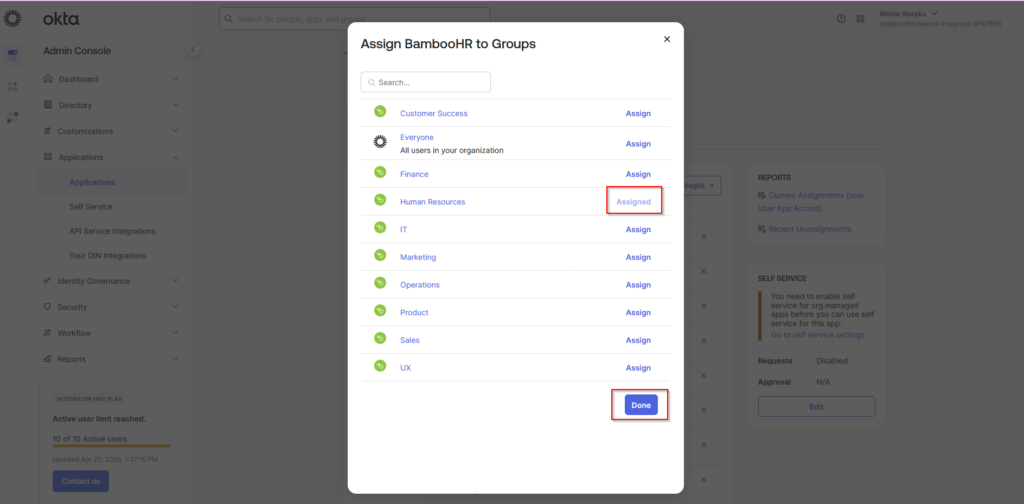
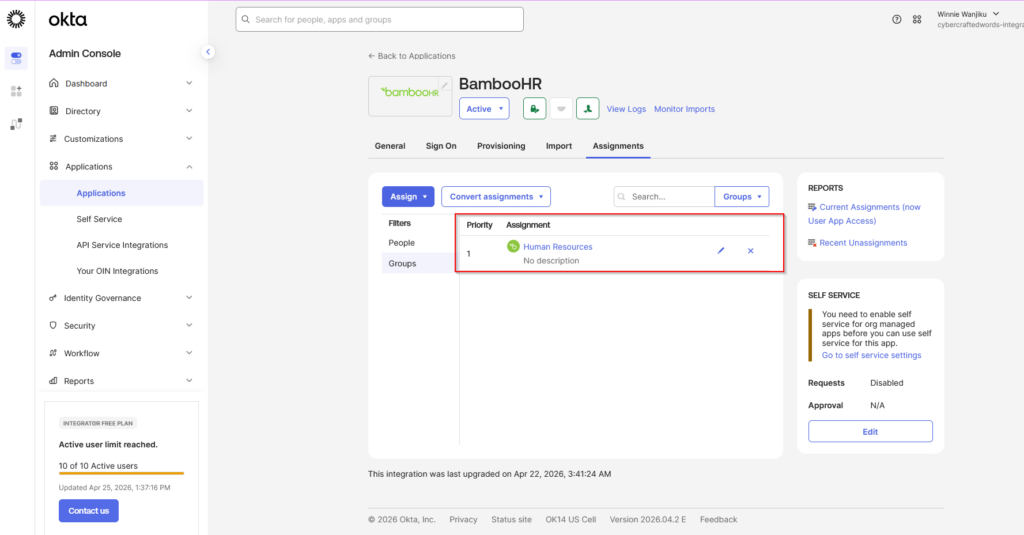
3. Once assignment is complete, Okta will begin provisioning the users to
BambooHR based on SCIM integration.
Conclusion
This lab provided practical insight into how SCIM supports automated identity lifecycle management within modern IAM environments, in this case, Okta. We’ve integrated BambooHR with Okta thus allowing employee information to flow automatically from a HR system to an Identity Platform.
This lab reinforced how SCIM helps organizations strengthen operational efficiency, improve security posture and maintain better control over user access across systems.